
Two views, one project
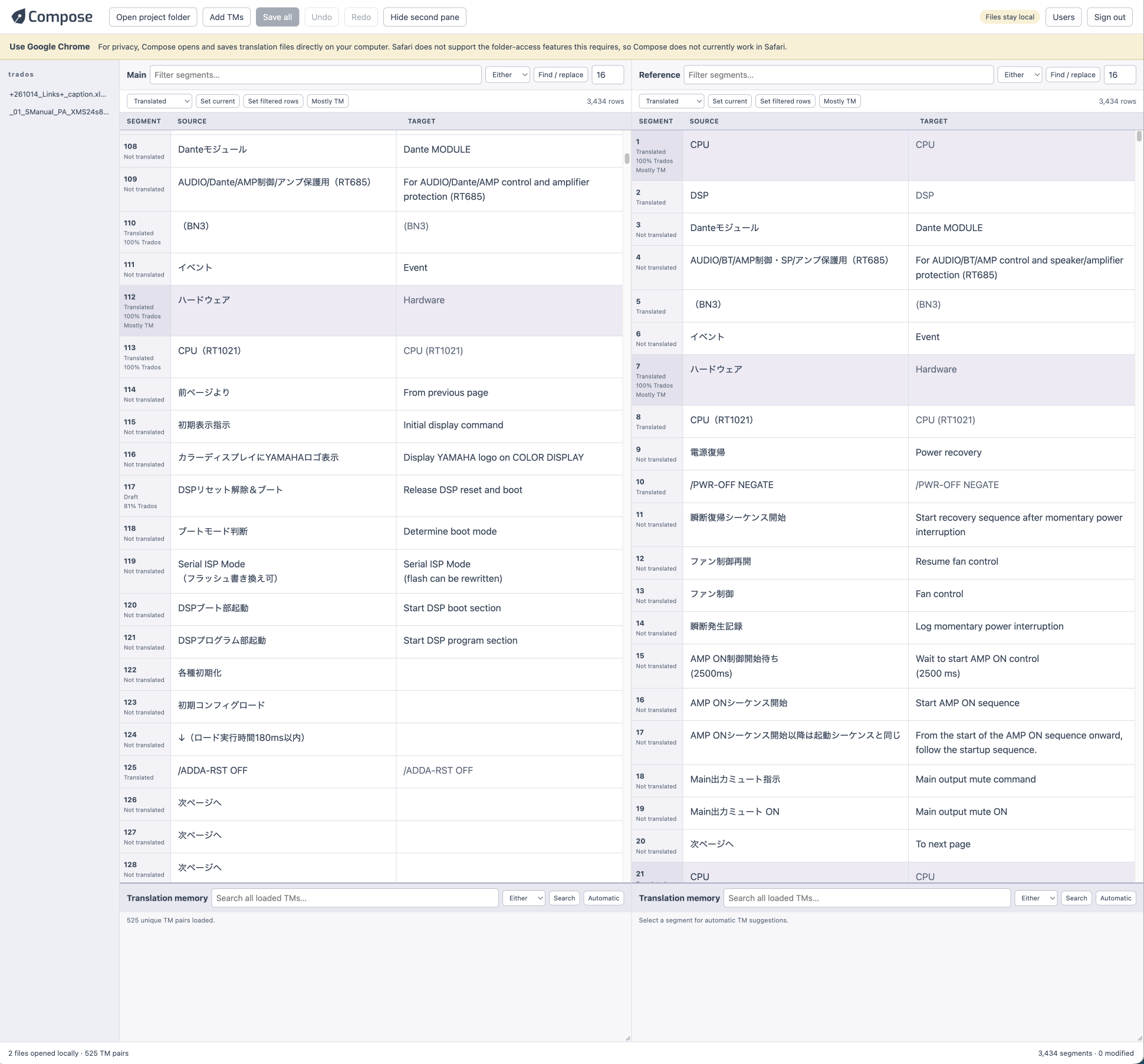
Keep a passage open on the left while you search and correct another on the right. Each view has its own position, filters and TM searches. Edits are shared immediately, with no second copy to reconcile.
Keep your place while you check the rest. Translate in one view; search, compare and refine wording in the other. Every change belongs to the same project.
In preview · Developed for desktop Chrome · Access by approval
A focused workspace for the small decisions that make a translation consistent, accurate and natural.
Keep a passage open on the left while you search and correct another on the right. Each view has its own position, filters and TM searches. Edits are shared immediately, with no second copy to reconcile.
Open a whole project, move quickly between segments and apply changes across files. Keep your attention on the language instead of repeatedly opening documents and waiting for screens to load.
Your translation files and memories stay on your computer. The browser reads and writes only the files or folders you choose. Project contents and TM searches are processed locally; the server manages accounts and serves the app without receiving your translation data.
See exact and similar source matches as you move between segments. Search a phrase in either language, inspect highlighted results and reuse suitable wording. Editor similarity scores stay distinct from original Trados matches.
Filter source or target text. Find and replace one occurrence at a time, or across the selected scope. Set the current segment or all filtered segments to Translated or Draft, with shared undo.
Keep original Trados match information visible and mark “Mostly TM” wording for careful review. Save changes across both views, with local backups and checks for outside file changes. Internal review flags stay in separate JSON files.
Compose works with local Trados SDLXLIFF projects and SDLTM translation memories. It is useful for reviewing completed translations, correcting recurring phrases, or translating with TM reference close at hand.
Work directly beside the source, with adjustable text size, rows that fit their contents and visible, protected tags. Select and copy text from the source or either language in TM results.
Text edits return a segment to Draft. Locked segments and unresolved tracked changes remain protected. Tagged TM suggestions can be used as reference; automatic insertion currently supports untagged suggestions.
Compose is an independent Verbium application. It is not affiliated with or endorsed by Trados or RWS.
Compose is in preview. Tell us how you translate and review, and we’ll discuss access. Use the Log in button to sign in or request an account.
Ask about Compose →Use desktop Chrome to open local folders and save directly back into them. Safari is not currently supported. Save regularly: unsaved work remains in browser memory.